Built Around the Warrior,
Built for the Circle
Here's everything LinkLoop does right now - and what we're working toward.
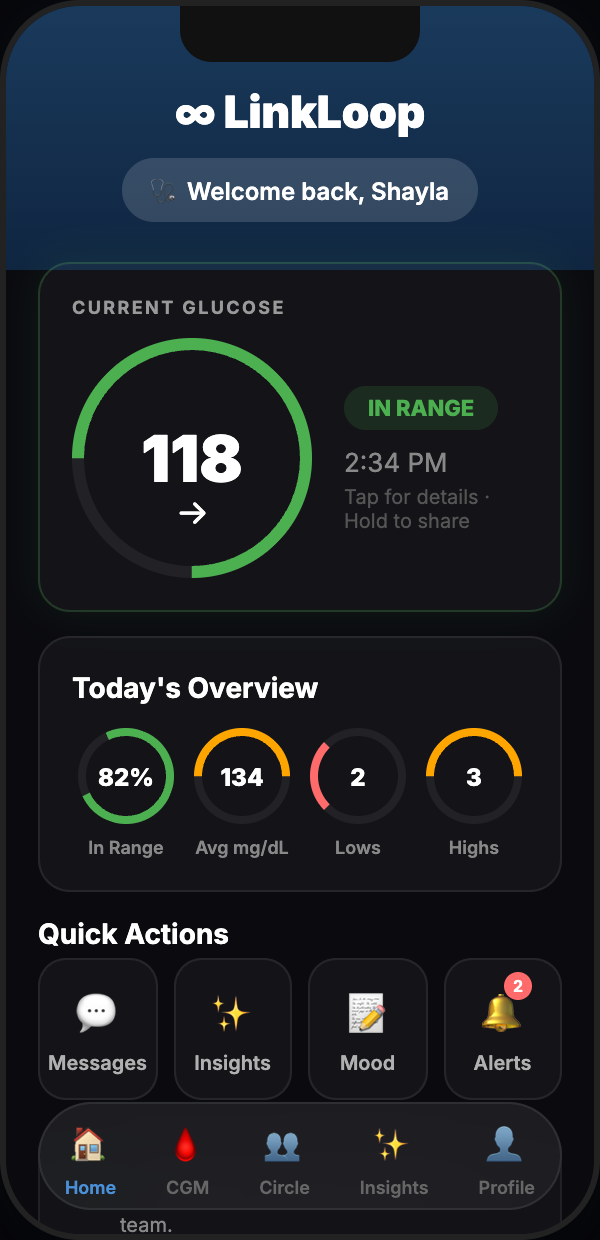
Home Dashboard
The moment you open LinkLoop, your warrior''s current glucose reading is front and center. Trend arrow, time-in-range ring, and color-coded status all in under a second.
- Current reading, trend arrow, and delta since last reading
- Time-in-range ring for the last 24 hours
- Color-coded: teal (in-range), yellow (high), red (urgent)
- Last sync timestamp so you always know data freshness
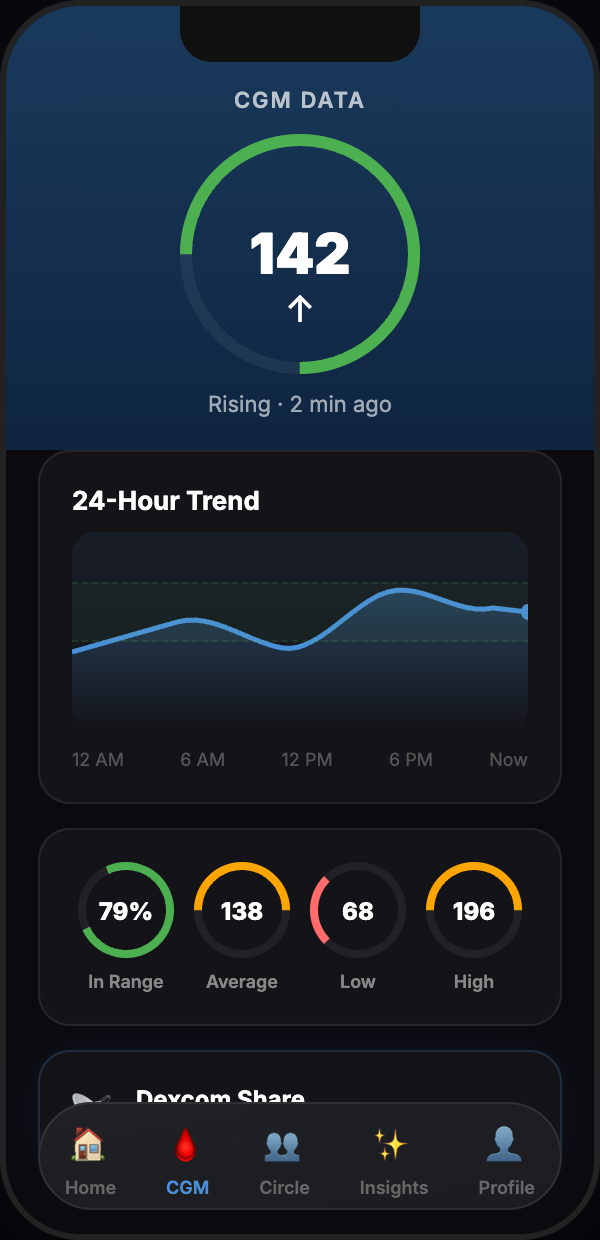
CGM Data Chart
24-hour glucose history pulled directly from the Dexcom API - not estimated, not interpolated. Every data point is a real EGV reading with its real timestamp.
- Up to 24 hours of Dexcom EGV readings
- Target range bands clearly shown on the chart
- OAuth 2.0 token refresh keeps data flowing automatically
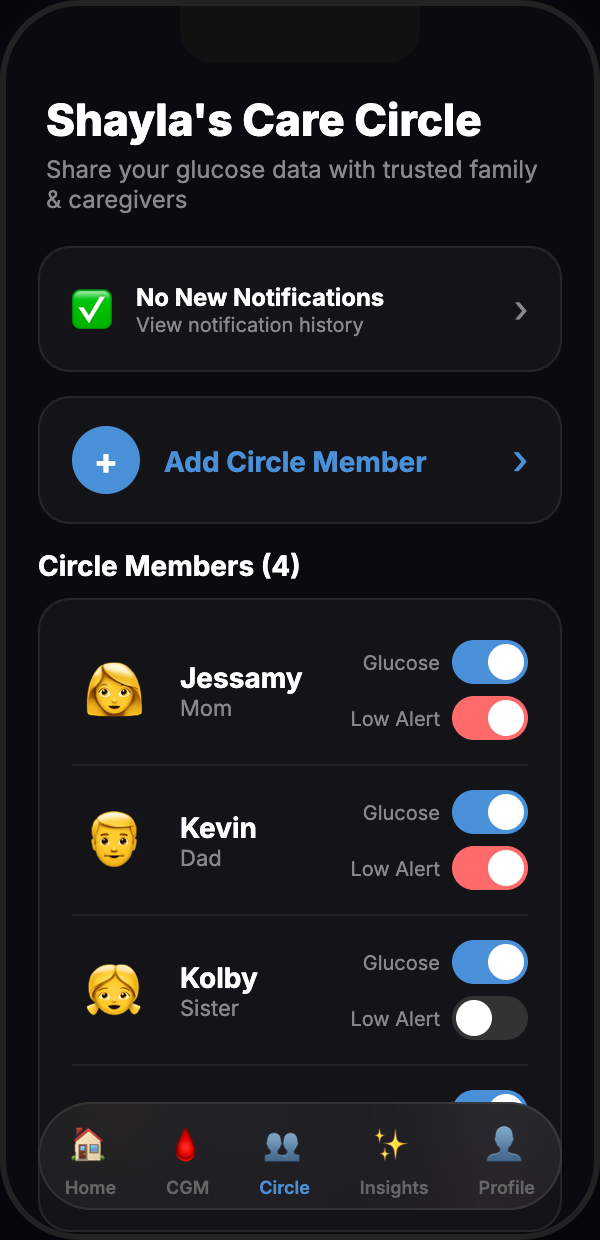
Your Circle, Your Rules
The warrior owns their data entirely. Share access via private invite code - no email required for Care Circle members. Revoke any member instantly.
- Private invite code - generate and revoke with one tap
- View every active Care Circle member at a glance
- Revoke any member''s access instantly
- Care Circle members get read-only access - no settings control
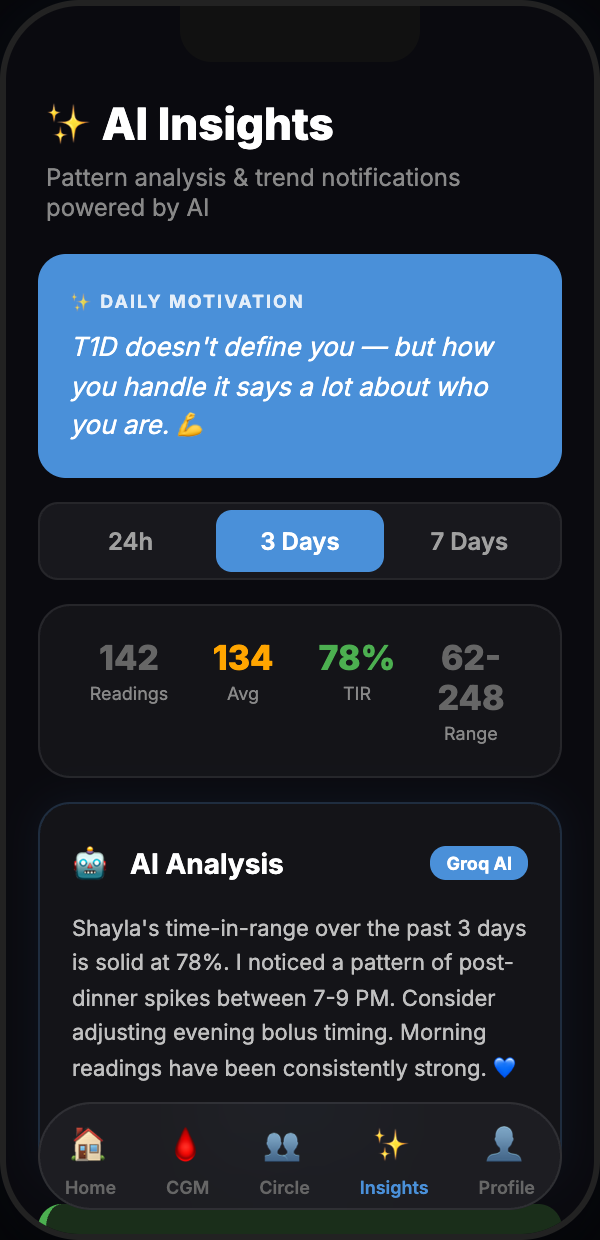
AI Insights
Groq reads the glucose history and surfaces plain-English patterns. When does the overnight dip happen? What time of day runs highest? The whole circle can see it.
- Overnight trends, post-meal spikes, time-of-day patterns
- Plain-language summaries - no medical jargon
- Visible to both Warrior and every Care Circle member
- Powered by Groq with low-latency inference
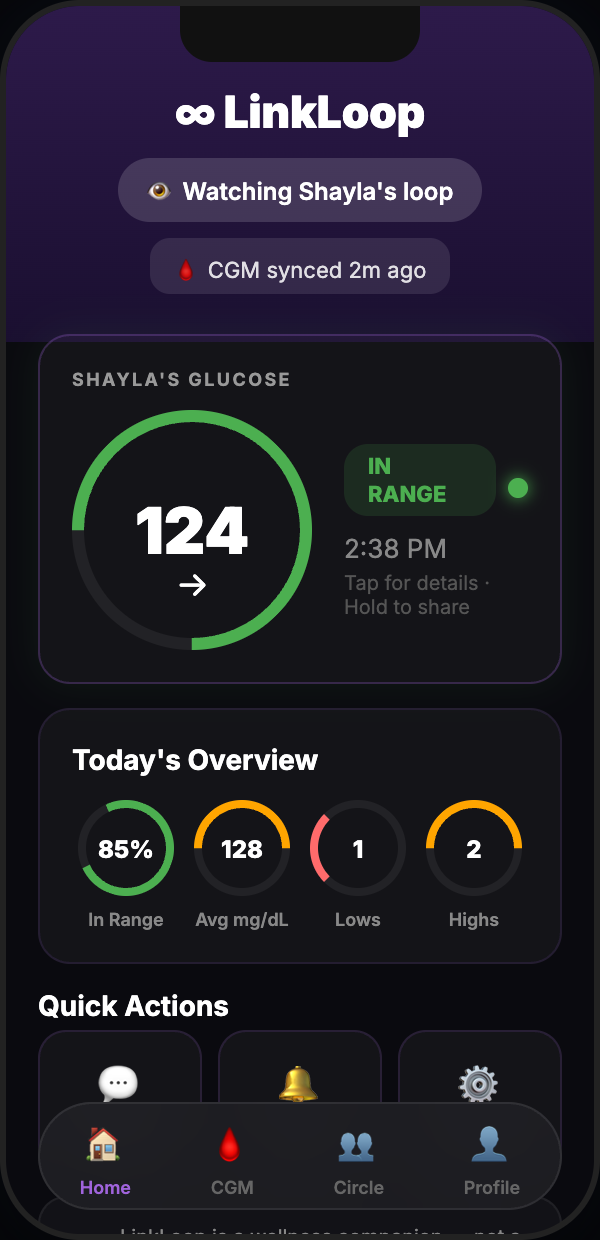
Loop Member View
This is what a parent, spouse, or friend sees. Same live glucose. Same trend. Same data - just no ability to change anything. The warrior stays in full control.
- Same live glucose data as the warrior''s dashboard
- Trend arrow, range status, and last sync time
- Read-only - no settings or configuration access
- No Dexcom account needed for Care Circle members
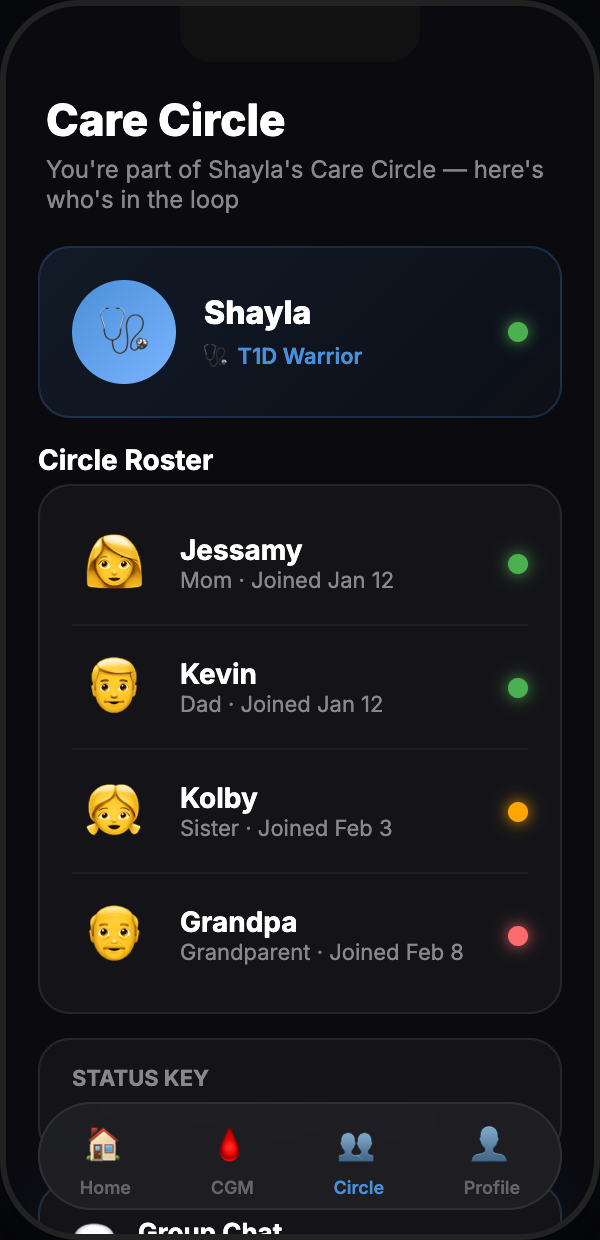
Live Status Roster
When multiple people watch over a warrior, the roster gives everyone a glanceable status view without opening each profile individually.
- Color-coded glucose status for each member instantly
- Current reading and time since last update for everyone
- Designed for quick checks from a pocket or lock screen
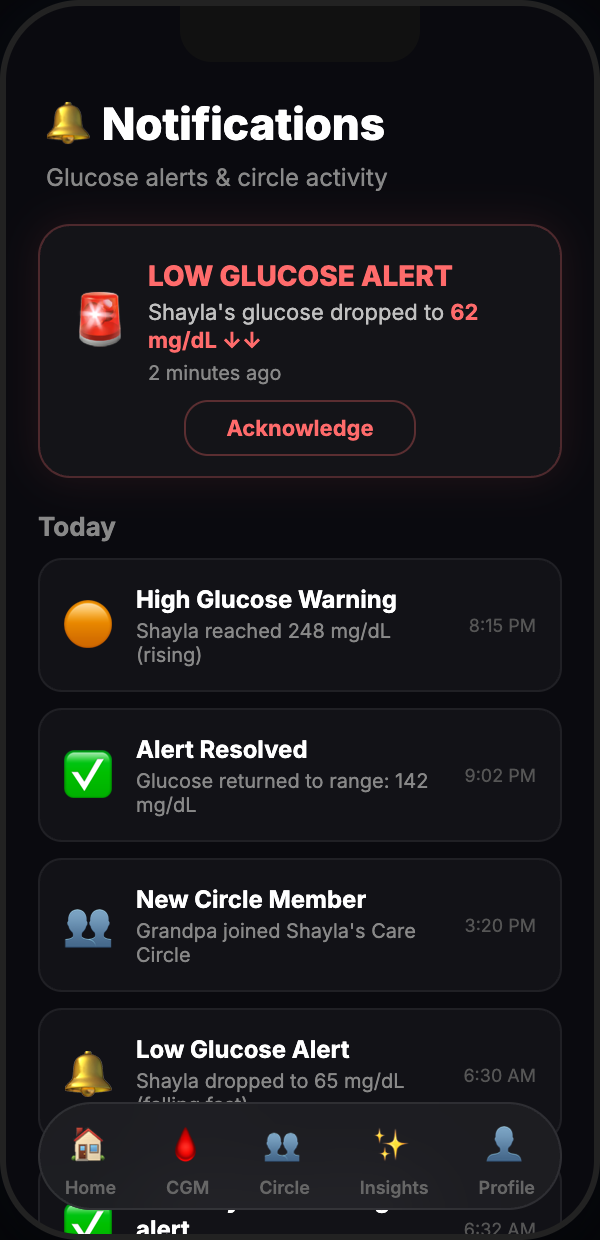
Smart Alerts
Set your high and low thresholds once. When glucose crosses them, every Care Circle member gets the push notification simultaneously - not just the warrior.
- Configurable high and low glucose thresholds
- Push notifications to every Care Circle member at once
- Urgent low alerts cut through Do Not Disturb
- Persistent until acknowledged - nothing gets missed
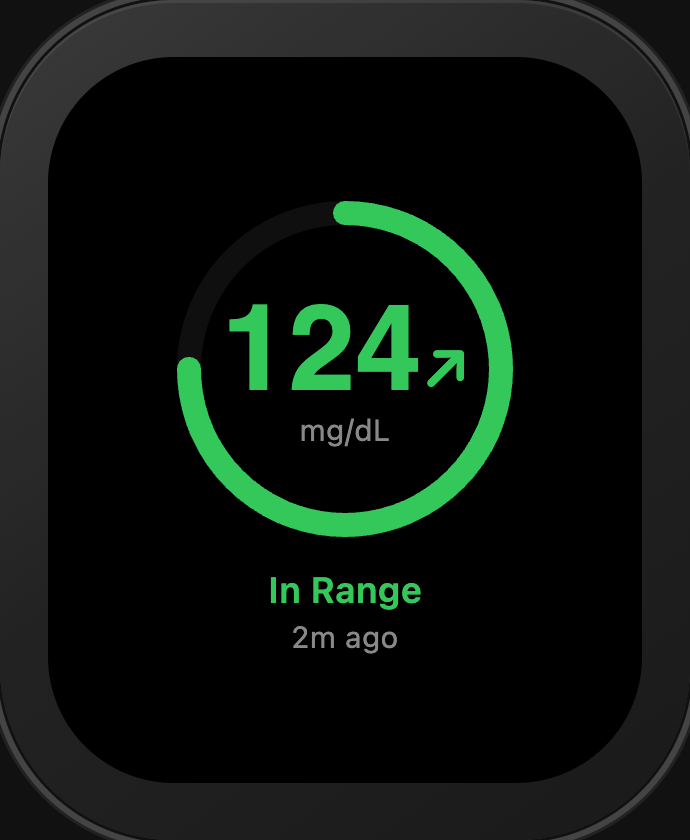
Apple Watch Companion
LinkLoop now includes a dedicated Apple Watch app. Pair your Watch to your iPhone using a simple 6-digit code, and your glucose data syncs automatically. Current reading, trend arrow, and recent history - all from your wrist.
- Dedicated Watch app with live glucose display
- 6-digit code pairing - no Bluetooth config needed
- Current reading, trend arrow, and recent history
- Works over Wi-Fi or cellular without iPhone nearby
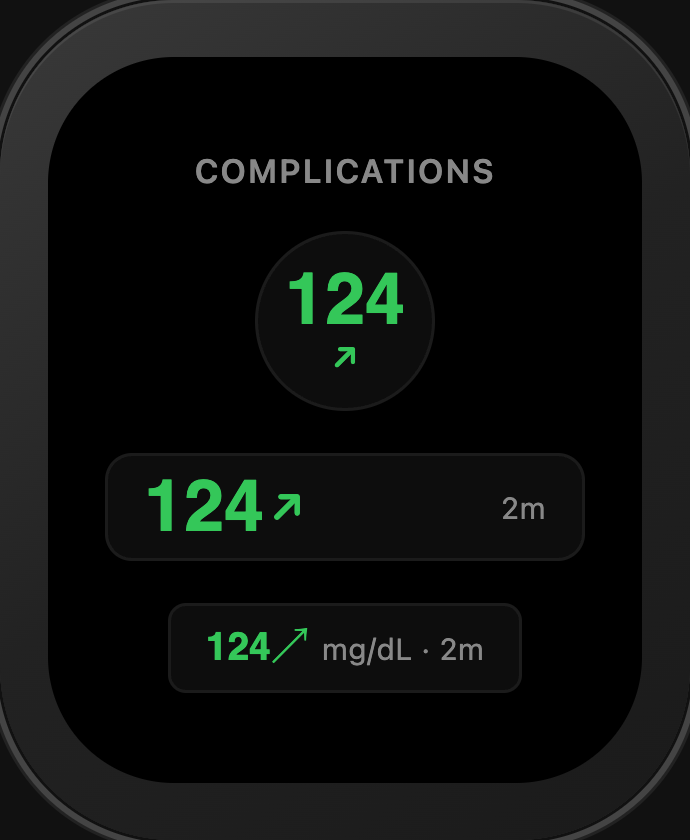
Complications
See your glucose number directly on your Watch face without opening the app. Three complication styles fit any Watch face layout.
- Circular / Corner - bold glucose number with trend arrow
- Rectangular - glucose, trend arrow, and timestamp
- Inline - compact single-line (e.g. "120↗ mg/dL · 2m")
- Updates automatically every 5 minutes
- Displays "--" when no data is available
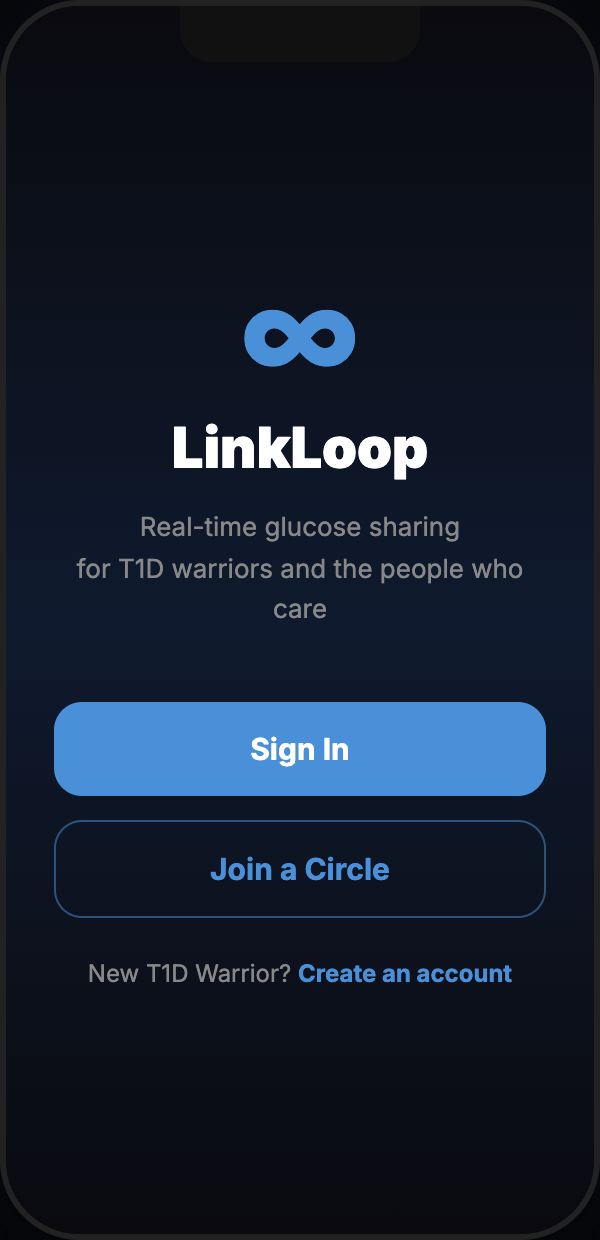
Onboarding Built for Real Life
T1D does not pause for complicated setup. Choose your role, connect Dexcom via OAuth (Warriors) or enter your invite code (Care Circle), and you are live.
- Two roles: Warrior (Dexcom connection) or Care Circle (invite code)
- Dexcom connection via OAuth 2.0 - no passwords stored
- No Bluetooth pairing, no manual sensor setup
- Live in under two minutes
Everything in One Place
One app, one place. No juggling separate tools to keep everyone on the same page.
Live Dexcom Sync
Official Dexcom Individual API. Real EGV readings, real timestamps, OAuth 2.0 auth.
Care Circle Roles
Warrior owns the data. Care Circle gets read-only access. No middle ground.
AI Pattern Analysis
Groq AI surfaces overnight trends, post-meal patterns, and time-of-day insights in plain English.
Smart Alerts
Configurable thresholds push to every Care Circle member simultaneously.
CGM History Chart
Up to 24 hours of glucose history with range bands and trend overlay.
Privacy First
Warrior-controlled sharing. JWT-secured API. No data sold. Ever.
iOS Native
React Native + Expo. Optimized for iPhone. Live on the App Store and Google Play.
Apple Watch
Dedicated Watch app with complications. Glucose on your wrist - no phone needed.
Fast Setup
Warrior or Care Circle - live in under two minutes, no Bluetooth pairing needed.
Download LinkLoop
Live now on the App Store and Google Play. Free download - built for T1D families by a T1D dad.
⌚ Apple Watch FAQ
Common questions about the LinkLoop Watch companion.
Install LinkLoop on your Apple Watch from the Watch app on your iPhone. Open LinkLoop on your Watch, and it will display a 6-digit pairing code. Enter that code in the LinkLoop iPhone app to link your Watch to your Care Circle.
Long-press your Watch face and tap Edit. Scroll to the complication slots and choose LinkLoop. Three styles are available - Circular (bold number + trend), Rectangular (number + trend + timestamp), and Inline (compact single-line). Pick the one that fits your Watch face layout.
The Watch displays "--" when it hasn't received a glucose reading yet. This usually means the Watch hasn't completed its first server fetch, or the CGM hasn't reported new data. Give it a few minutes - complications update automatically every five minutes.
Yes. The Watch app fetches glucose data directly from the LinkLoop server over Wi-Fi or cellular - it does not rely on Bluetooth relay from the iPhone. As long as your Watch has a network connection, it works independently.